

A social media account is no longer just a place to share. It's the brand's storefront, customer service channel, and its most important advertising medium. A compromised account can destroy years of built trust in a matter of hours. The good news: most attacks can be prevented with a few simple measures.
Why are social media accounts targeted?
For attackers, a compromised brand account means a ready-made follower base. These accounts are used to spread scam links, announce fake campaigns, spend advertising budgets, or sell the account. Small businesses are as much at risk as larger ones because they are often less protected.
6 most common threats
Phishing: Redirecting to a fake login page with messages like “Your account will be closed” or “You have received a copyright infringement notice.”
Weak and reused passwords: Accessing social media with a password leaked from another site.
SIM card cloning: Intercepting verification codes sent via SMS.
Malicious apps: Granting account permissions to apps like “Who viewed my profile?”.
Former administrators: Someone who left the job or agency still retains access.
Fake support accounts: People posing as “platform officials” asking for codes or passwords.
10 steps to protect your account
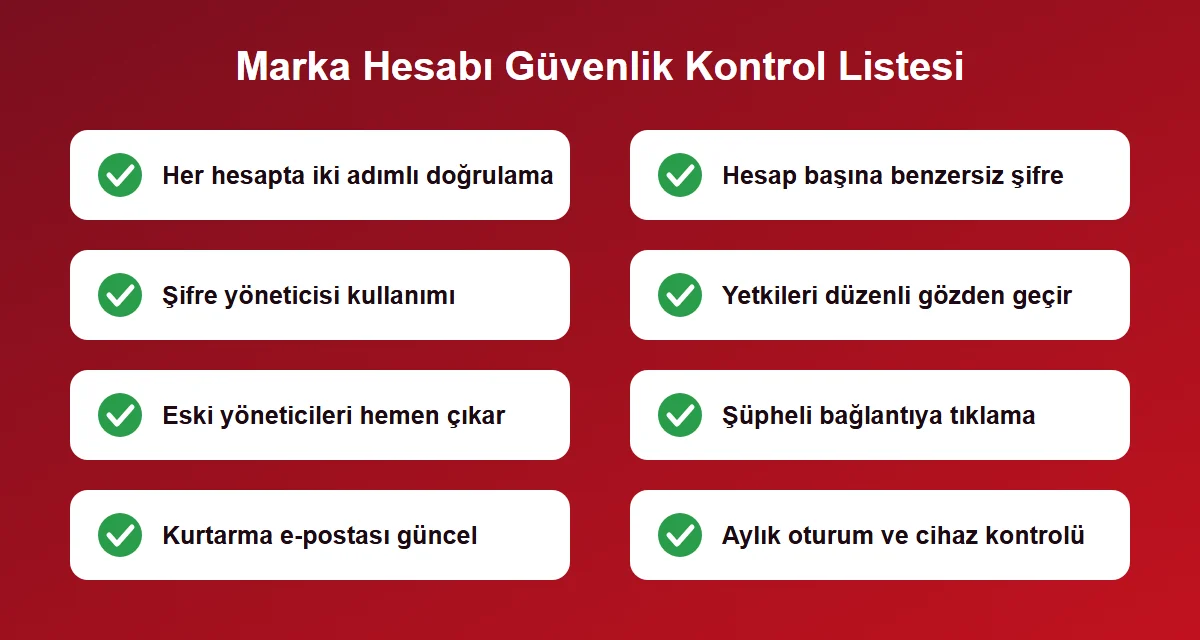
1. Use a unique, long password for each account. Choose passwords of at least 14–16 characters that are hard to guess. Do not reuse the same password in multiple places. Use a password manager instead of relying on memory.
2. Enable two-factor authentication. Even if your password is stolen, no one can enter without the second factor. Prefer an authenticator app over SMS when possible.
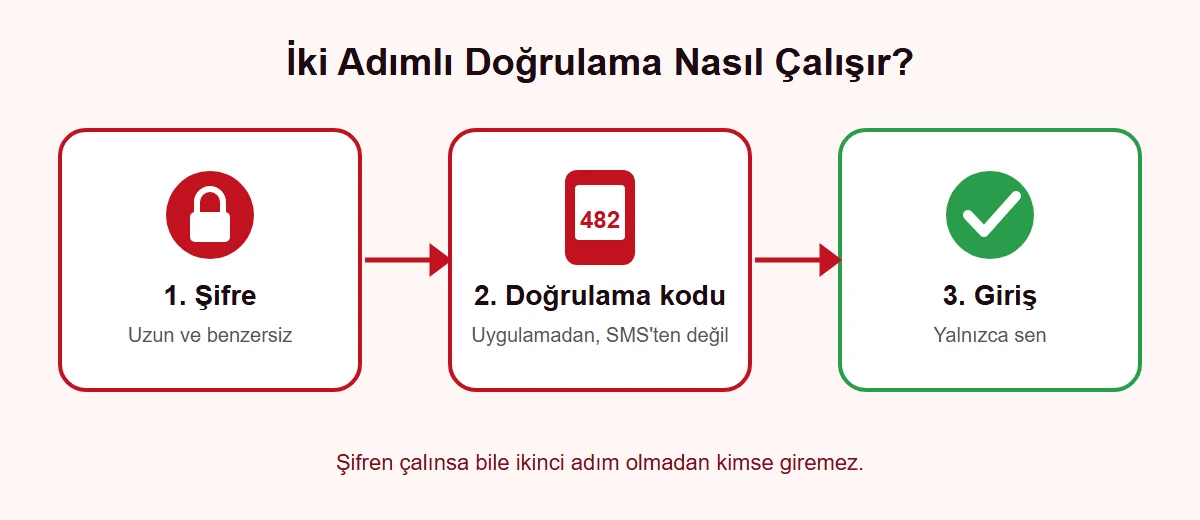
3. Trust the official app, not links in messages. If you receive a warning, open the app directly and check the notification there. A legitimate platform will never ask you for your password or verification code.
4. Keep permissions to the minimum required. Not everyone needs to be an administrator. Give content creators posting access, and give ad managers ad permissions. The account's owner should be the company itself, not managed through a personal account.
5. Revoke access for departed people the same day. When an employee or agency changes, immediately update the admin list. This is the most commonly forgotten step.
6. Review connected apps. Open the “connected apps” section in account settings. Remove permissions for apps you do not recognize or use.
What to do if your account is compromised?
- If you can still log in, change the password immediately and log out all sessions.
- Initiate the platform's account recovery steps and check your recovery email.
- Check the ad account and linked payment methods; pause them if necessary.
- Inform your followers via another channel: “Do not trust suspicious messages coming from our account.”
- Investigate how it was accessed. Was the same password used elsewhere? Was there a former administrator?
- If personal data may have been leaked, evaluate data breach notification obligations under KVKK with a specialist.
Frequently Asked Questions
Is a small business's account also a target?
Yes. Attacks are mostly automated and do not consider the size of the account.
Is SMS enough for two-factor authentication?
Better than nothing, but the most secure options are an authenticator app or a security key.
Is it safe to give account access to an agency?
Yes. Instead of sharing passwords, use the platform's “add administrator” feature and remove access when the work is done.
Conclusion
Social media security is not a one-time setup but a regular habit. Strong passwords, two-factor authentication, and clean permission management stop the majority of attacks. Think of your brand's accounts like a digital safe: know who holds the key.
Do you need security and management support for your social media accounts? Contact the Creative Agency.Ad team.
Yorumunuz yayınlanmadan önce yönetici onayından geçer. E-posta adresiniz ziyaretçilere gösterilmez.
Yorumlar
Bu yazı için henüz onaylanmış yorum bulunmuyor.